
Introduction
This guide explains how to use the Power Scheduling feature in Aeroqual Cloud to automatically turn your instrument on and off at set times.
Power Scheduling is especially useful for battery or solar-powered deployments, helping reduce power consumption by running the instrument only during required hours.
Using this feature, you can:
- Enable or disable scheduling
- Set daily operating hours
- Choose between daily or weekday-only operation
Power Scheduling automatically respects local time changes, including daylight saving adjustments. When using weekday-only schedules, the instrument will remain OFF during weekends regardless of configured hours.
-
-
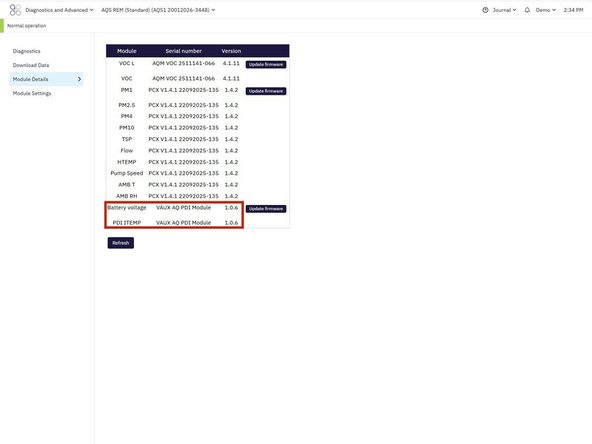
NOTE: Power scheduling is only available on devices with a PDI Core. To check if your device supports this navigate to Configure > Module Details. Look for a module with a name containing "PDI". If no PDI module is present, the Power Scheduling option will not be available.
-
Select your device
-
Go to Configure
-
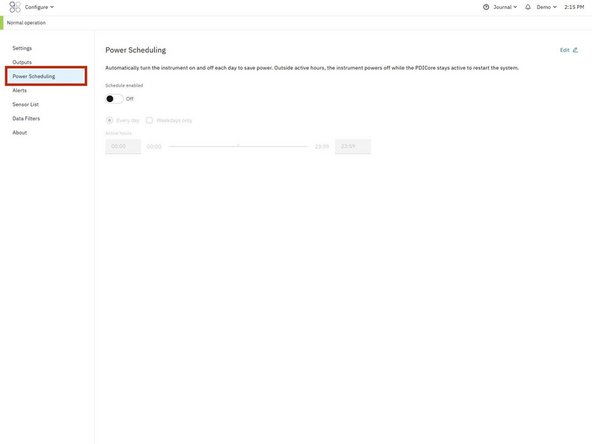
Click Power Scheduling in the left-hand menu
-
-
-
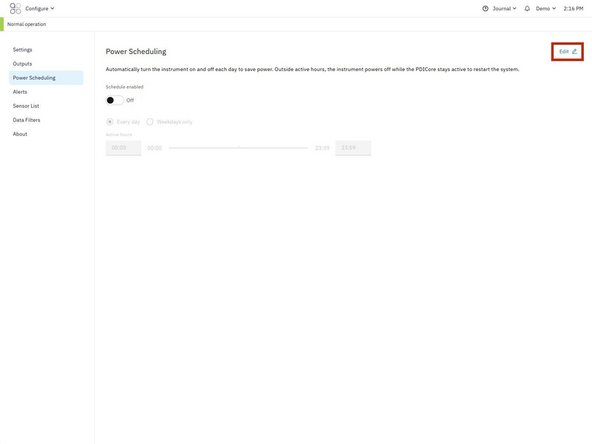
Click Edit
-
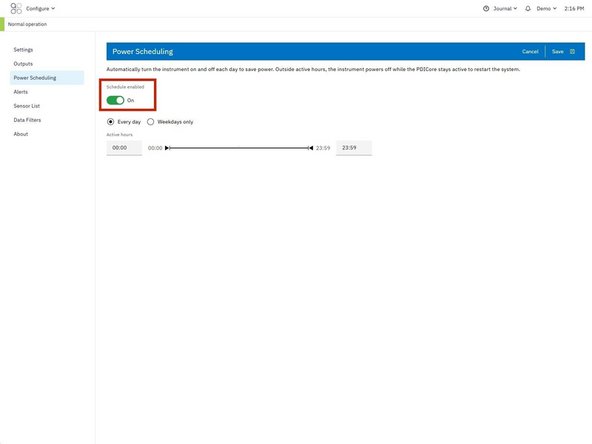
Locate the Schedule enabled toggle
-
Switch the toggle to On
-
Once enabled, scheduling options will become available.
-
-
-
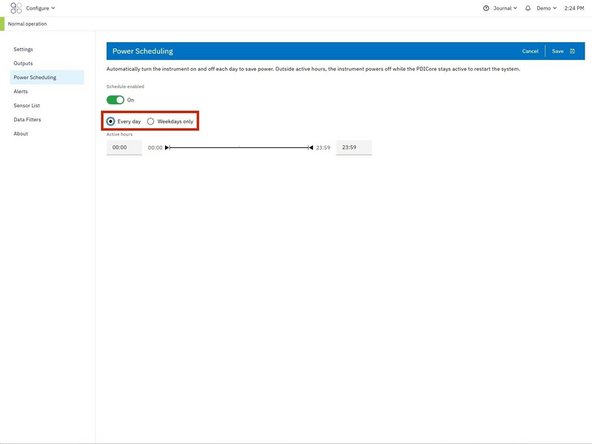
Choose how often the schedule should apply:
-
Every day → runs 7 days per week
-
Weekdays only → runs Monday to Friday
-
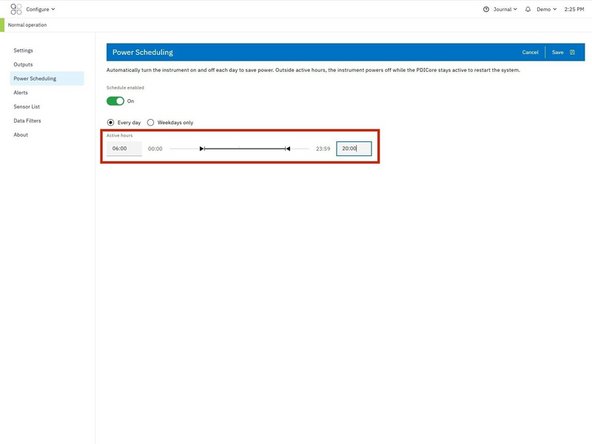
Set the start time (ON time) for when the instrument should power on
-
Set the end time (OFF time) for when the instrument should power off
-
Use 24-hour format (e.g. 08:00 = 8:00 AM, 17:00 = 5:00 PM). Power Scheduling follows the instrument’s local time zone including daylight saving adjustments.
-
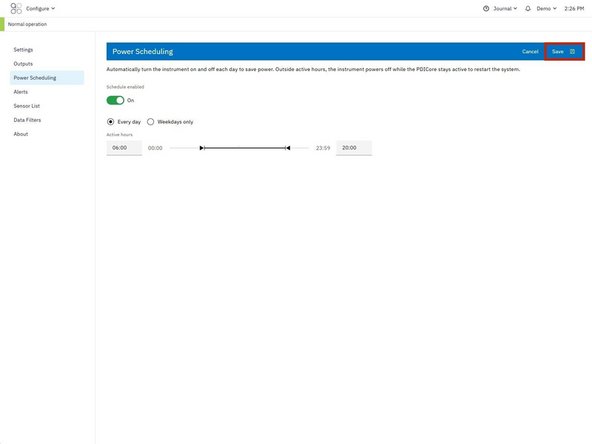
Click Save to apply the schedule
-
For further support, contact Aeroqual Support.
For further support, contact Aeroqual Support.
