Introduction
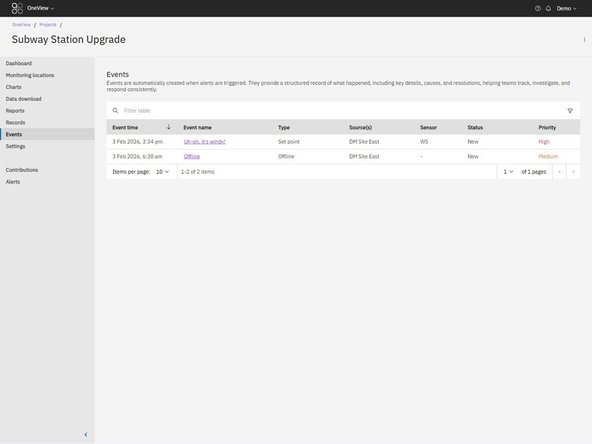
Events provide a structured record of what happens when an alert is triggered in OneView.
Each time an alert triggers, an Event is automatically created. The Event captures key details about the trigger and provides a place to document what was observed, what caused it, and what actions were taken.
Events help teams:
- Maintain a consistent investigation record
- Coordinate across multiple users
- Demonstrate due diligence during reporting or audits
-
-
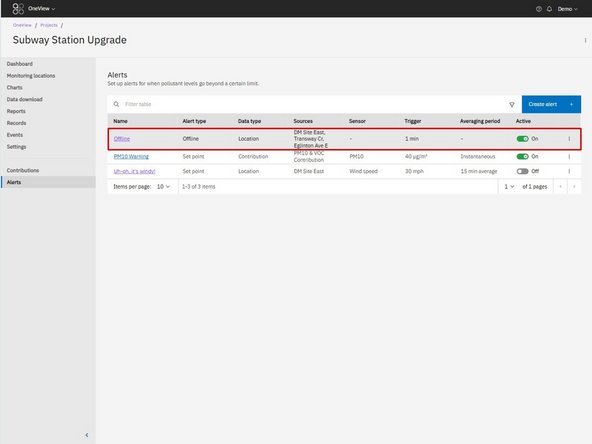
When alert conditions are met (e.g. threshold exceeded, monitor offline), the alert triggers.
-
-
-
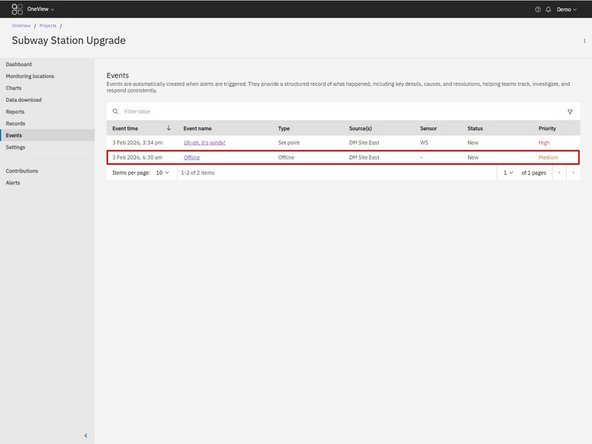
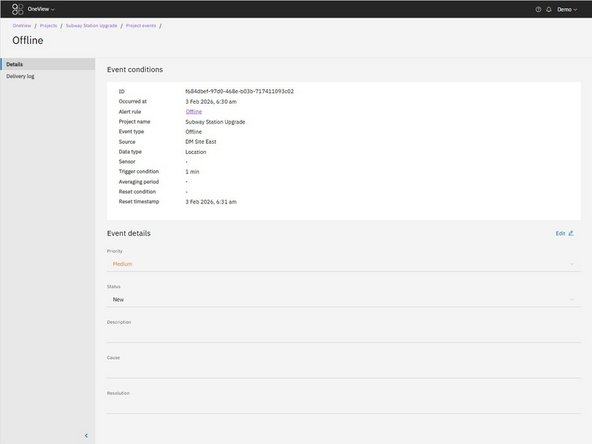
A new Event is created and logged in the Events table. The Event captures:
-
Event conditions (date and time, trigger details, etc.)
-
Status
-
Priority
-
Editable text inputs for the user to document what action was taken.
-
Notification delivery log
-
-
-
Users can add additional context to the Event, such as:
-
Description
-
Cause
-
Action / Resolution
-
For further support, contact Aeroqual Support.
For further support, contact Aeroqual Support.
